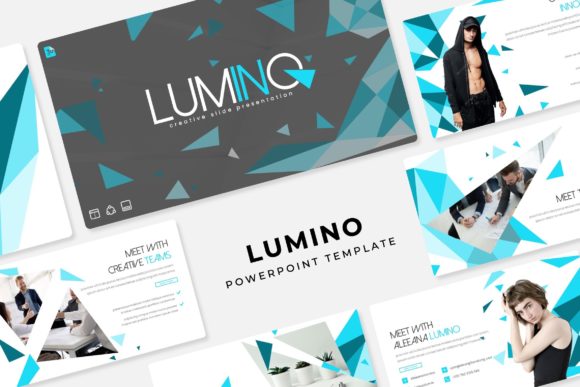
Lumino Power Point Template: A Modern Design Toolkit
When your presentation needs to look polished, professional, and visually engaging from the first slide to the last, having the right design assets can make all the difference. The Lumino Power Point Template is built to help you achieve that level of refinement without spending hours on layout and design work. With over 150 total slides organized across five premade color schemes, this template gives you a versatile foundation for everything from corporate pitches to creative portfolios.
What Makes Lumino Stand Out?
Each of the five color variations includes 30 carefully designed slides, giving you a cohesive visual language to work with. Whether you prefer bold, vibrant tones or more subdued, professional palettes, you can choose the version that best matches your brand identity or project mood. The handcrafted infographics are particularly useful for turning complex data into clear, visually appealing graphics that keep your audience engaged.
One of the most practical features of Lumino is its flexibility. The slides are built on master slides, which means you can easily adjust fonts, colors, and layouts across your entire presentation with just a few clicks. Every graphic and illustration is resizable and editable, so you are not locked into a single design. The drag-and-drop picture placeholders make it simple to insert your own images, giving you full creative control without the hassle of manual formatting.
Practical Use Cases for Lumino
This template works well in a variety of contexts. If you are preparing a business proposal, the clean layouts and structured slide designs help you present information in a logical, easy-to-follow way. For creative professionals, the gallery and portfolio slides are ideal for showcasing visual work, whether you are a photographer, designer, or architect. Educators and trainers can also benefit from the section break slides, which help organize content into digestible segments.
The pixel-perfect illustrations add a layer of sophistication to any presentation. They are designed to look sharp on screen, whether you are presenting in a boardroom or sharing your slides online. Because the graphics are editable, you can customize them to match your specific content or branding guidelines, making the template feel truly tailored to your needs.
What Is Included in the Package?
When you download Lumino, you receive five PPTX files, each corresponding to one of the five color variations. The widescreen format ensures your presentation looks modern and professional on contemporary displays. A readme file is included with helpful instructions, and the font used in the template is available as a free download, so you can maintain visual consistency without additional costs.
It is worth noting that the preview images use photographs and pictures for illustration purposes only. These are not included in the download, so you will need to supply your own visuals. This actually works in your favor, as it allows you to use your own high-quality images that align with your message and brand.
Tips for Getting the Most Out of Lumino
To make the most of this template, start by selecting the color variation that best fits the tone of your presentation. If you are working on a formal business deck, the more neutral palettes might be the best choice. For creative or marketing presentations, the bolder color options can help you make a stronger visual impact.
Take advantage of the master slide functionality to ensure consistency throughout your presentation. Adjusting the master slides allows you to update fonts, colors, and logos in one place, which then applies across all related slides. This saves time and helps maintain a cohesive look.
Finally, use the handcrafted infographics to simplify complex information. Visual aids like charts, timelines, and process diagrams can make your content more accessible and memorable. Because they are editable, you can adapt them to fit your specific data and messaging.
Choosing a well-designed template like Lumino is about more than just aesthetics. It is about creating a presentation that communicates your ideas clearly and professionally, while also reflecting your personal or brand style. With its combination of flexibility, quality design, and practical features, Lumino provides a solid foundation for any presentation project.